Category: Layouts Page 5 of 7

PLANNING PAGES

We see so many great ideas in the agendios we produce that we’d like to share some with you. Today we’re featuring planning pages.

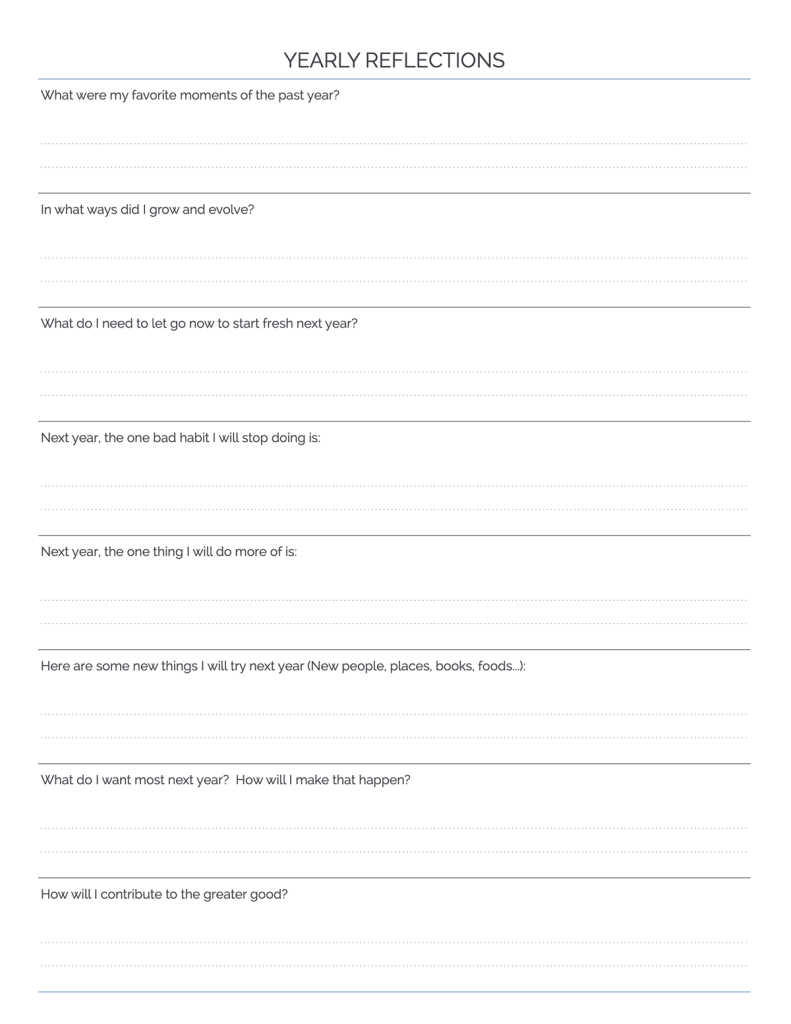
Agendio offers seven planning page layouts for you to use as is or to customize, available in the Builder on the Extra pages screen. One we really like is the Reflections page, which provides you with a list of questions to reflect on.

It can be used for any time period, and we have seen many customized weekly, monthly and yearly reflection pages.

For your next agendio, consider adding a few reflections pages to your agendio to prompt you to look back and make sure you remember the priorities you set for yourself. What would you want to reflect on as you use your agendio?

EXTRA PAGE LIST IDEAS

We see so many great ideas in the agendios we produce that we’d like to share some with you. Today we’re featuring lists.

Angela added to her agendio a set of lists to track her chores. She applied the idea to divide her lists by frequency and created three lists: One list is for yearly chores, another is for twice-yearly chores and a third for monthly chores.

Even though all the pages track chores, they have different requirements. So we were thrilled to see how, using Agendio’s features, Angela selected different layouts for each page and formatted them differently, for example with or without checkboxes and selecting different numbers of columns. What a very successful design.

What would you put on each list if you made three chore lists?

MORE EXTRA PAGE IDEAS

We see so many great ideas in the agendios we produce that we’d like to share some with you this fall. Today we’re featuring two practical pages that come in handy at this time of year:

The first is very specific to Agendio, since our planners are so customizable: Sara made a page to list the changes she wants to make when customizing her next agendio. It’s easier to write down your ideas during the year while you use your agendio than to try to remember all your ideas when your planner is running out, and this simple page does that very well. Consider also adding a blank page next to it to sketch an idea or two.

The second page is a seasonal idea that we see often, a page to track cards and gifts. This one was made by Max to track what he gave last year, what he received last year and what he is sending this year. The page is made from a Flex-table Extra page, so it has the advantage that you can choose the number of columns, set the column widths and also choose if you want lines, what kind of lines and the line spacing.

What Extra page designs would help you keep track of the easily-forgotten details in your life?

As always, let us know if you have any questions.

TRACKING PAGES

We’re seeing so many great ideas in the agendios we’re producing that we’d like to share some with you this fall.

Today we’re featuring a few tracking pages. They’re a bit different than the ones we usually see and it’s worthwhile noticing how helpful they are.

The first two come from one of our long-standing customers, Jessica, who has been using agendios for five years. She created a calorie counter page and a sleep tracker, and both include a few very useful additional columns.

The last image is not a standard tracking page at all, it’s a daily. However, our customer converted the right-side column into a kind of planning Extra page. Seeing this column every day is a great way to stay focused on what’s important.

What kind of page would help you focus on your goals?

HIGHLIGHTED EVENTS AND ACTIVITIES

You can now add highlights to your events and activities!

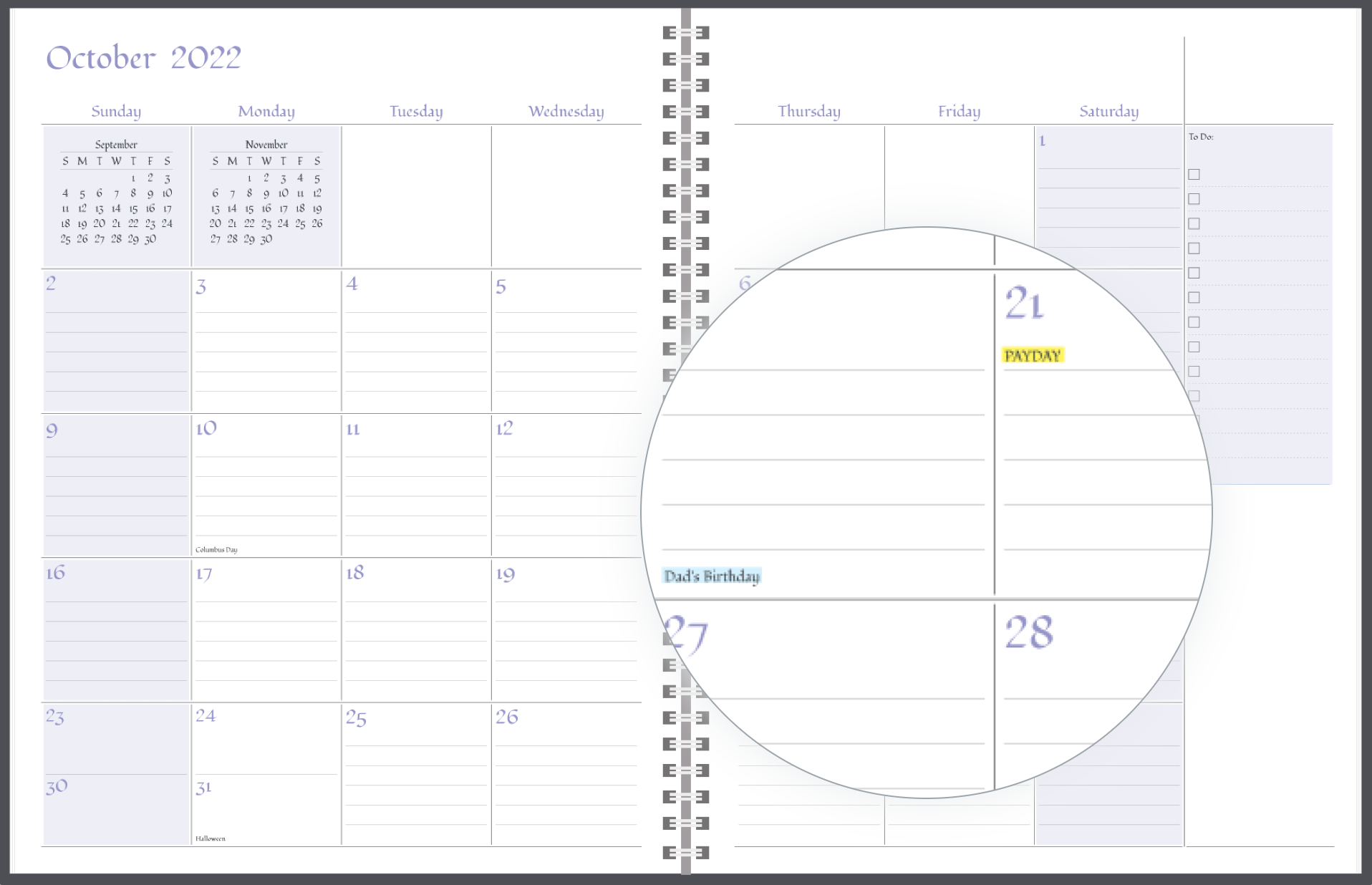
You can highlight birthdays, paydays, garbage day, practice, or any other event or activity you don’t want to miss.

Do you forget to pay credit card or utility bills? Did you forget your last anniversary? Highlights might help.

text-highlighting

We have created four highlight colours (yellow, blue, green and pink) so you can find one you like best, or assign different highlight colours to different labels.

highlight-web

To try out the highlights feature, start another agendio or edit an existing one, and go to the events or activities screens, and you’ll see the option in the first column.

UNDATED AGENDIOS

We’re pleased to announce that undated agendios are now available!

You can now choose any agendio model and order it as an undated planner. It can be a monthly, weekly or daily, as you wish. The pages will remain mostly the same, especially your schedule, list pagelets and divisible. The difference will be that the date pagelet will be empty, leaving room for you to add the date when you choose to.

Please note that your events, activities and holidays will not be printed in your agendio, since there won’t be any dates to connect them to. Tabs will also not be available, since there won’t be any months to show us where to place them.

undated-agendios

If you want your agendio to be undated, follow the same steps you have always followed, but when you get to the Builder, look on the left side of the Info page and you will see a dropdown that allows you to select Undated.

DOUBLE WEEKLIES

Over the years we’ve been asked about double weekly planners – Planners that include two dated spreads for each week. We don’t offer them, but we’d like to share with you examples of double weeklies that customers have been making on their own. Agendios are so customizable that you can not only personalize the content of pages, but also create fundamentally different planners, and what wonderfully creative planners we are seeing.

Why would you want a double weekly? The big benefit is that you create much more space per day than a weekly, without switching to a daily format. Some customers are currently creating one spread for work and the other for home, or one as a regular dated weekly spread and the second as a place to add more detail to each day.

For example, here is a row weekly layout with a secondary weekly created out of divisible pages to add a schedule for each day. The primary row weekly planner pages can’t be used easily for scheduling an entire day, but the secondary pages can.

double-weeklies-A

If you want to make a double weekly, select a configuration that includes at least one spread after each week. We show this as WWEE, the W’s being weekly pages and Es being Extra pages. Then in the Builder, on the Extra pages screen, near the top/right, you highlight your extra pages and customize them to include features that usually come with dated pages. The best pages to use as a base for this are divisibles, either one or two column, or Flex pages.

Here’s an example that includes four Extra pages (we’re showing only two). The primary weekly is made up mostly of a schedule for each day and the Secondary pages add space for todo lists and notes.

double-weeklies-C

And here’s one that adds pages to track billable time by day. Similar to the first example, the primary is a row planner, and the secondary pages are used for schedule-related tracking.

double-weeklies-B

If you’re thinking of making a double weekly, just remember that you need to start with the correct configuration, which includes a weekly followed by two Extra pages. If you forget, or if you want to convert an existing weekly into a double weekly, it’s easy to do: Go to the Builder Info page and at the top you will see a button to change your configuration.


INSERTS + TABS

You can now add tabs when you purchase most sizes of Agendio inserts. They are available for all page sizes 7” or bigger, which includes Filofax A5 and Franklin Classic.

tabs-in-inserts

You get the same tabs as we offer on our planners, with a few spare ones for adding custom tabs, and with the option of an additional tab strip if you have a large number of Extra page sections.


2 PAGE PER DAY DAILIES ARE NOW AVAILABLE

two-pages-per-day

PAGE NUMBERS NOW AVAILABLE

You can now add page numbers to your agendio, at the bottom of each page, centered.

page-numbers


Page 5 of 7

Powered by WordPress & Theme by Anders Norén