

Resize is now 100% complete. You can now resize any Agendio Pro pages you have previously made.
This means that if you previously purchased a Pro agendio and want to change it to a bigger or smaller size, you can now resize all your pages quickly and automatically.
So, you can now convert your medium daily layout or a journal-sized meal plan into a large, or convert your large-size budget page or weekly layout or flex-table into a medium or journal-size.
But what’s also exciting is that now, if you like a shared page in the Agendio community sharing library, but it’s the wrong size, you can still take it and then, from your MyStuff page, simply adjust its size to the one you want. And since our sharing library is growing every week, you’ll soon have a very big selection of ready-made pages just waiting for you.
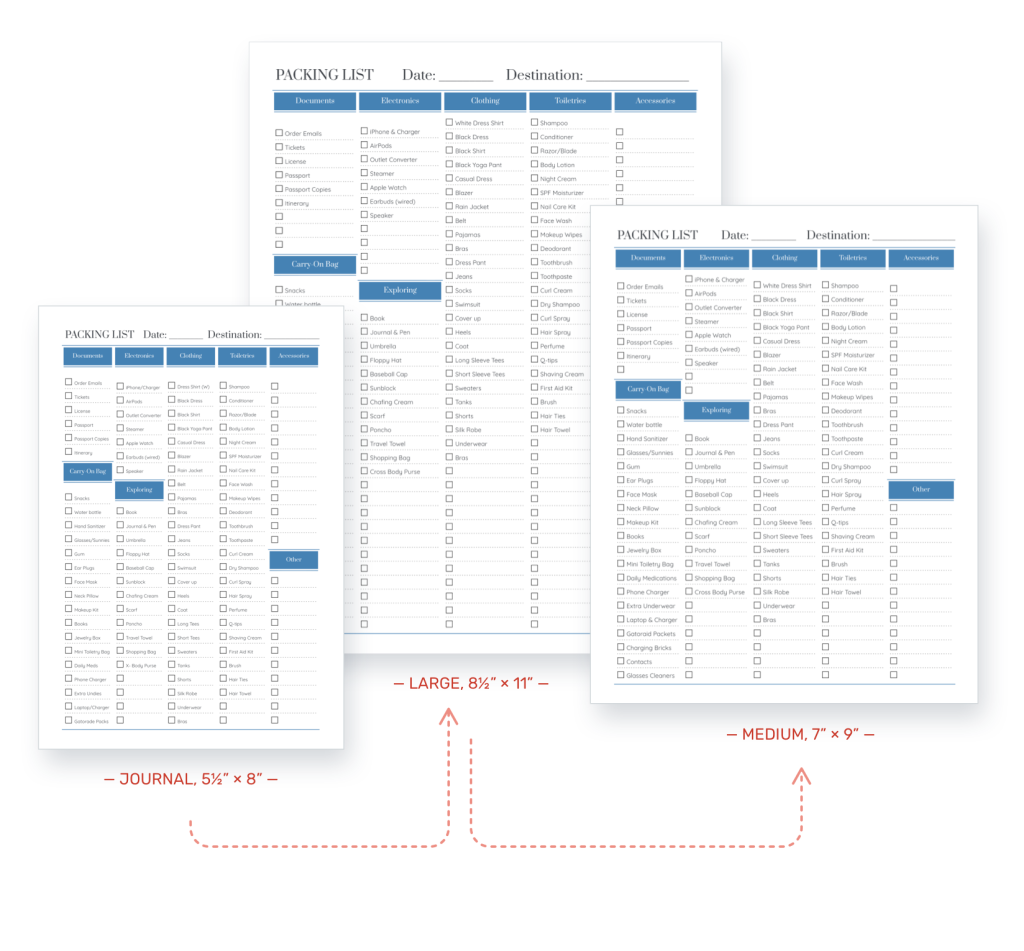
Resizing a page is straightforward:
- Go to My stuff, to Pages
- Find the dated page you wish to enlarge
- Roll over “Options”
- Select “Resize”
- Select the target size and update the suggested name if desired
The newly created page will automatically be created and shown to you in the Designer for review.
PLEASE NOTE
If you use this feature, please verify the resized page carefully. The resized page will have been created by an automated process, and it might make a mistake. So it’s important to review each resized page.